Settings & Redirection Management
Navigate to GateFuz → Settings to manage global store options across three primary configuration tabs.
1. Store & Currency Configuration
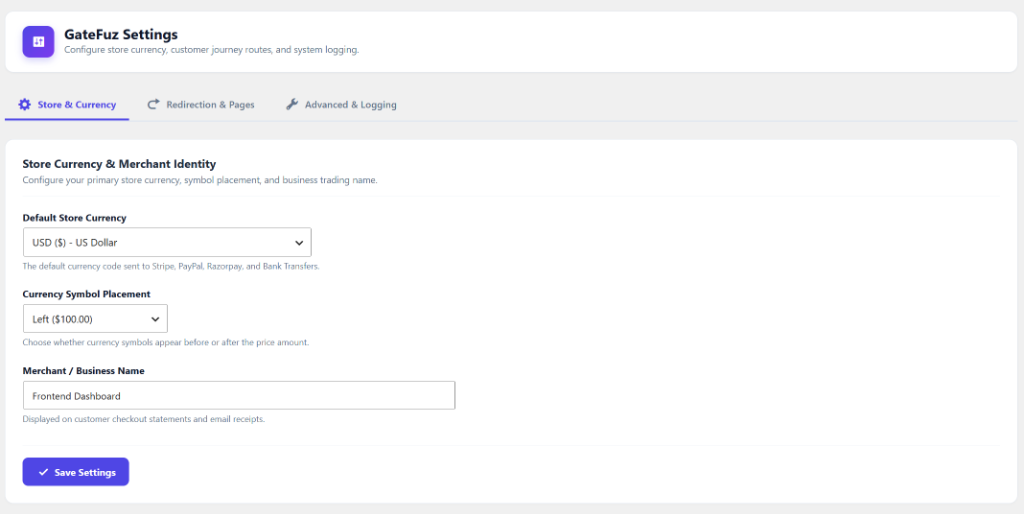
Section titled “1. Store & Currency Configuration”Configure your primary store currency, symbol placement, and business trading identity:
- Default Store Currency: Select the base currency code sent to Stripe, PayPal, Razorpay, Mollie, and Paystack (e.g.
USD ($),EUR (€),GBP (£),INR (₹)). - Currency Symbol Placement: Choose whether currency symbols appear before (
$100.00) or after (100.00$) the price amount. - Merchant / Business Name: The trading name displayed on customer checkout statements and email receipts.
2. Checkout Redirection & Customer Journey
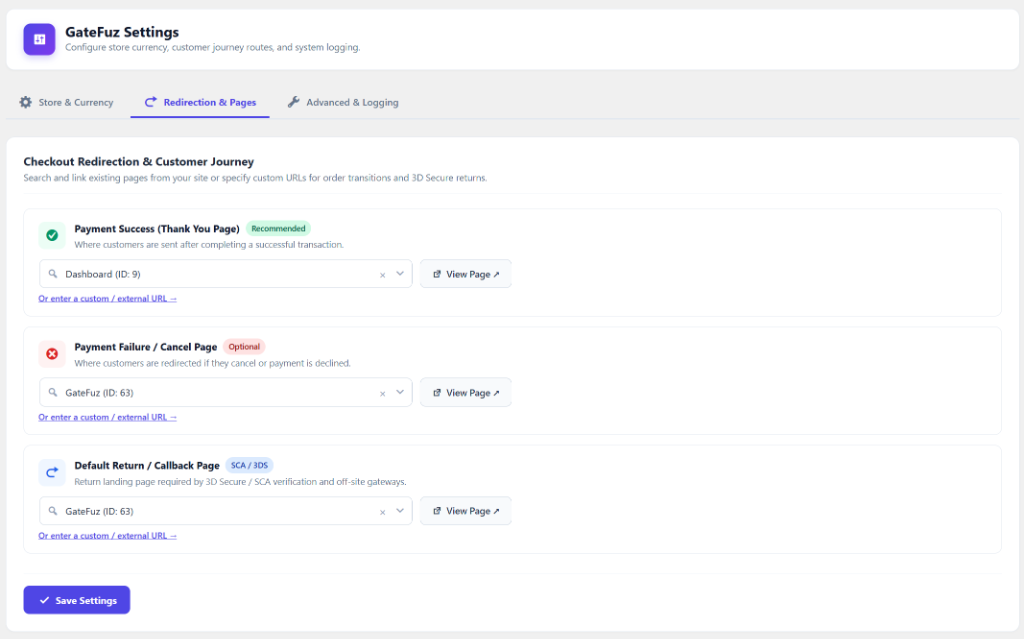
Section titled “2. Checkout Redirection & Customer Journey”GateFuz includes an AJAX-powered searchable page picker with live page previews:
- Payment Success (Thank You Page): Where customers are redirected immediately after completing a successful transaction.
- Payment Failure / Cancel Page: Where customers return if they cancel payment or if their card is declined.
- Default Return / Callback Page (SCA / 3DS): The required return landing page for 3D Secure / Strong Customer Authentication flows and off-site gateway approvals.
- Custom / External URL Overrides: Supports directing users to custom query paths, subdomain apps, or external fulfillment portals.
3. Advanced Diagnostic & System Logging
Section titled “3. Advanced Diagnostic & System Logging”Access developer observers and quick maintenance utilities:
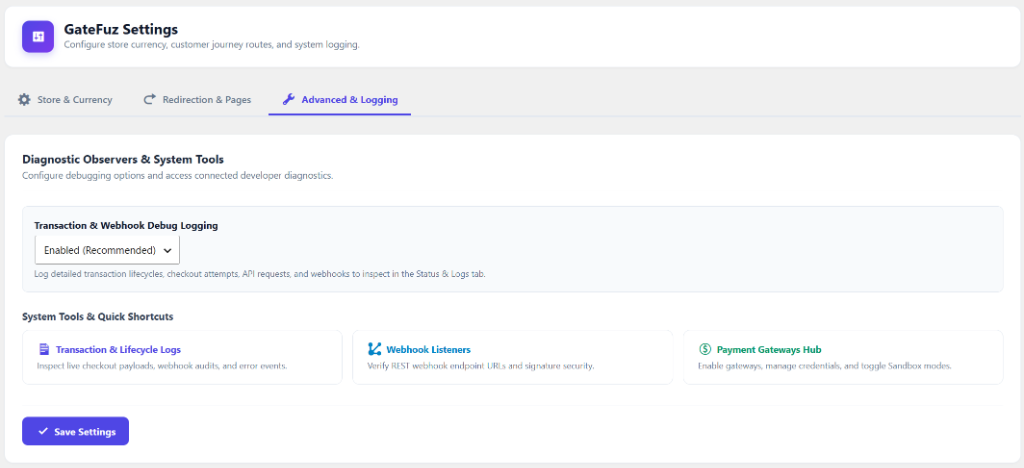
- Transaction & Webhook Debug Logging: Enables detailed transaction lifecycle recording, checkout attempts, API requests, and webhooks to inspect in the Status & Logs tab.
- System Shortcuts: Instant one-click links to the live transaction log viewer, webhook listeners, and payment gateways hub.